01
Patient record
Start with the person
Create one complete patient record, with key details and history ready for the care team.
Care is a series of important moments. Wellflexia keeps the patient record moving with the people and decisions around it.
Patient record
Create one complete patient record, with key details and history ready for the care team.
Clinical assessment
Bring complaints, vitals, diagnoses, and clinical notes together in one visit.
Connected care
Keep prescriptions, procedures, and lab requests connected to the visit.
Visit & billing
Track charges and keep the completed visit as part of the patient’s ongoing history.
One connected record, carried through every step.
Everything on one record
One record per patient, not five scattered across departments.
From check-in to closure, tracked end to end.
Scheduling that holds under real hospital load.
Charges that reconcile themselves.
Requests and results, connected to the visit.
Nothing happens off the record.
A simple view of the work behind every visit. Explore a patient record, an active visit, and a ward at a glance.
Thoughtfully connected
Move between the patient story, today's care, and ward activity without losing the thread.
Care workspace
WF-2048 · DOB 14 May 1988
Blood group
O+
Last visit
12 Oct 2026
Care team
3 members
Recent visits
View historyGeneral consultation
12 Oct · Completed
Follow-up visit
28 Aug · Completed
Patient notes
Reminder
Review follow-up plan at next visit.
A responsive workspace keeps essential patient, visit, and organization tools clear on the screens teams carry every day.
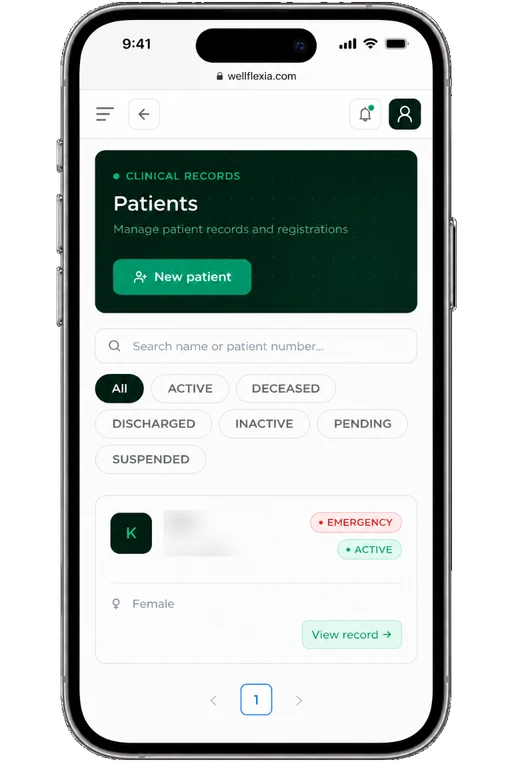
Find a patient, check their status, and open their record from a phone.
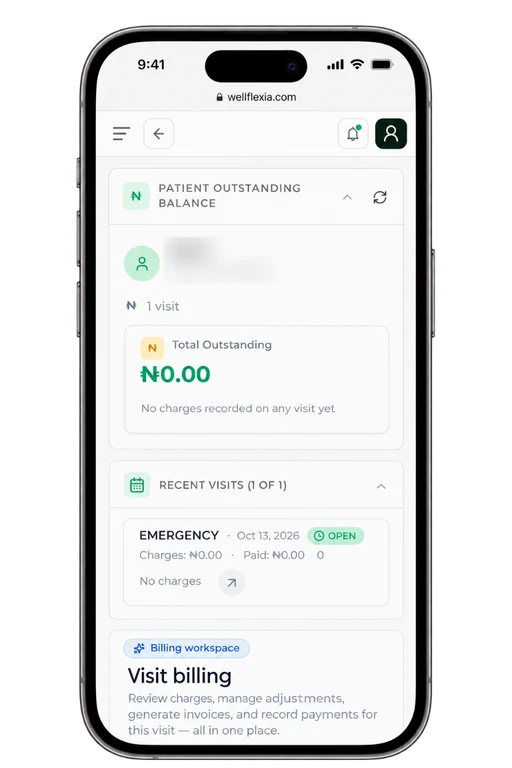
Review recent visits, outstanding balances, and billing in one flow.
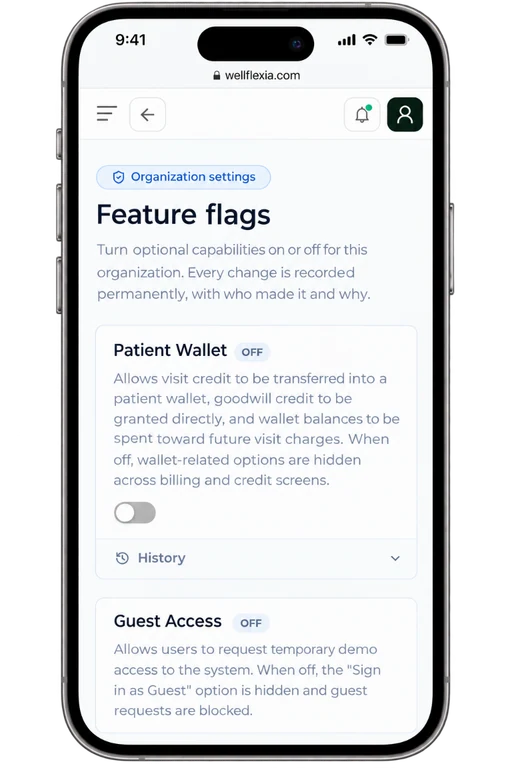
Manage optional capabilities with a clear history of changes.
Role-aware, by default
Access is checked at the endpoint, not assumed at the login screen. Pick a role to see exactly what it can reach.
DOCTOR
Diagnoses, prescriptions, procedures, and the full clinical record for every visit.
Guest access
Guest accounts are not a lighter version of a staff account — they are denied by default on every endpoint, and opened up only where a screen has been marked safe for guests. Access is requested, reviewed, time-boxed, and closes on its own.
Request guest accessRequest
A guest asks for access. It lands in a pending queue, not a live session.
Review
An admin approves or rejects. Nothing is granted by default.
Time-boxed access
Only endpoints explicitly opened for guests become reachable.
Auto-expiry
Access lapses on its own — revoked, expired, or blocked, the door closes.
Reactivate
Admins can restore expired sessions. Reactivated access has no auto-expiry and requires manual admin revocation.
Underneath it all
Role-based access
Every endpoint checks who is asking before it answers.
Full audit trail
Actor, action, entity, timestamp — logged without exception.
Session security
JWT access tokens, rotated refresh tokens, Redis-backed.
Rate-limited by default
The gateway and auth layer both throttle at the edge.
No sprints required — our platform is already in motion. Sign in if you're on staff, or request guest access for a first look.